



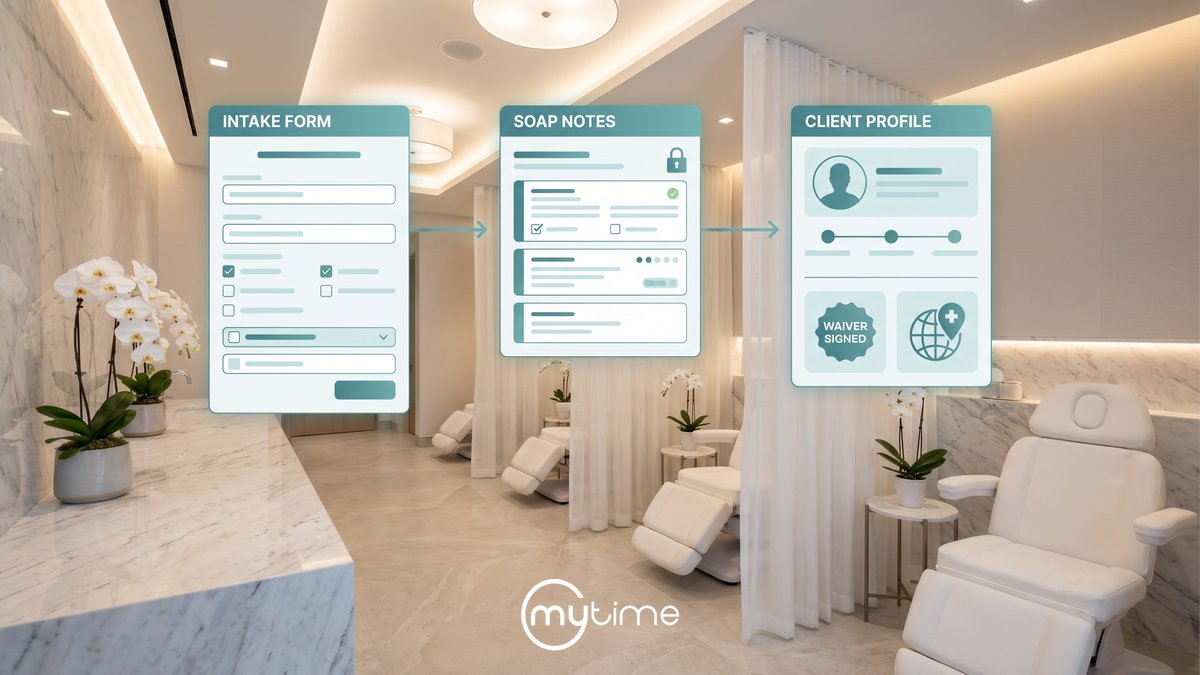
Client intake forms for med spa chains do more than collect basic information before an appointment. For IV therapy, med spa, wellness spa, and aesthetics brands, intake forms help teams understand service goals, collect service-specific details, prepare staff before the visit, support SOAP notes and waiver workflows, and keep client records consistent across locations.
That matters more as the category scales. Grand View Research estimates the global medical spa market at USD 21.21 billion in 2024 and projects it to reach USD 78.23 billion by 2033, growing at a 15.77% CAGR from 2025 to 2033 (Grand View Research). Grand View Research also reports that U.S. medical spa locations grew from 8,899 in 2022 to 10,488 in 2023, while multi-location medical spa operators averaged nine locations per group, up from six in 2022 (Grand View Research).
Growth creates opportunity, but it also adds operational risk. A form process that works at one location can become inconsistent across a chain if each site uses different questions, different waiver workflows, different documentation habits, and different client record standards. For IV and med spa chains, intake needs to become a repeatable workflow, not a stack of one-off forms.
This guide explains how digital intake forms support compliance-aware operations, improve efficiency, and help IV and med spa teams standardize the client journey from booking through documentation and follow-up.
Why IV and med spa intake forms are more than paperwork
Intake is the first operational handoff between booking and the visit. It helps staff understand why the client is coming in, what service they booked, what information should be reviewed before arrival, and what documentation needs to be completed before, during, or after the appointment.
For IV and med spa teams, that handoff can involve more than a simple appointment note. A visit may include service-specific questions, preferences, past treatment context, digital waivers, SOAP notes, room or equipment needs, product recommendations, and follow-up reminders.
MyTime’s Wellness & Med Spa page explains that MyTime supports customized intake forms and waivers in the booking process so businesses can collect information relevant to the services clients are scheduling (MyTime Wellness & Med Spa). The same page explains that client records can include aesthetic preferences, SOAP notes, past procedures, contact details, digital waivers, intake forms, automated appointment reminders, complete visit records, and cross-location access (MyTime Wellness & Med Spa).
This is where intake becomes more than an administrative task. A strong intake workflow helps staff start the appointment prepared, reduces duplicate questions, and gives each location a more consistent way to capture information.
What intake forms should solve for multi-location brands
The operational problem is not just “we need a form.” The real problem is consistency.
As IV and med spa brands grow, each location may be tempted to create its own workaround. One location may use a PDF. Another may use a paper form. Another may ask questions verbally and enter notes later. Another may require a waiver but store it separately from the appointment record.
Those differences create friction for clients and staff. They also make it harder for operators to compare workflows, train teams, audit documentation habits, and roll out new services.
MyTime’s med spa software guide explains that disconnected tools can lead to different forms used by staff, different booking experiences by location, and local workarounds for service menus, provider schedules, forms, discounts, packages, inventory, and reporting (MyTime med spa software guide). For chains and franchises, the goal should be to standardize the workflow while still allowing the flexibility needed for different services, staff roles, and local operating needs.
That means intake forms should help answer questions like:
- Which forms are required for which services?
- Which questions apply to new clients versus existing clients?
- Which fields should be required?
- Which forms are client-facing?
- Which forms are staff-facing?
- Which staff roles should be able to view or complete each form?
- Where should waiver activity live?
- Which data should carry into the client profile?
- Which details should be available across locations?
MyTime’s Global Intake Form help article explains that franchise businesses can create intake forms at the parent level or child level, and that multiple intake forms can be tailored to different types of clients, services, or situations (MyTime Help Center). The same article explains that intake forms can use custom and default custom fields, giving businesses flexibility in the information they collect (MyTime Help Center).
For multi-location brands, that structure matters. It gives corporate teams a way to create standards and gives local teams a way to support service-specific needs without reinventing the process.
The compliance-aware role of intake forms
Intake forms can support better compliance readiness, but they do not replace legal review, clinical protocols, licensed supervision, staff training, or state-specific requirements. The right way to frame intake is as a compliance-aware workflow that helps the business collect, route, protect, and document information more consistently.
HHS explains that the HIPAA Privacy Rule establishes national standards for the protection of certain health information and addresses the use and disclosure of protected health information by covered entities (HHS Privacy Rule). HHS also explains that protected health information includes individually identifiable health information held or transmitted by a covered entity or business associate in any form or media, whether electronic, paper, or oral (HHS Privacy Rule).
For IV and med spa operators, the compliance question is often complex because applicability depends on the organization, services, transactions, vendor relationships, and data workflows. That is why intake form content, consent language, data handling, retention, and access should be reviewed by the appropriate legal, compliance, and clinical advisors.
Still, the operating principles are clear. HHS says covered entities must develop and implement policies and procedures that restrict access and use of protected health information based on workforce roles (HHS Privacy Rule). HHS also says the HIPAA Security Rule sets administrative, physical, and technical safeguards that covered entities and business associates must use to secure electronic protected health information (HHS Security Rule).
HHS describes technical safeguards as including access control, audit controls, integrity, authentication, and transmission security (HHS Security Rule). It also says the Security Rule is flexible, scalable, and technology neutral, allowing regulated entities to implement policies, procedures, and technologies appropriate to their size, organizational structure, and risks (HHS Security Rule).
For an IV or med spa chain, that translates into practical intake questions:
- Are staff only seeing the forms and information appropriate to their role?
- Are required forms tied to the correct services?
- Are completed appointment fields locked when they should be?
- Are clinical intake edits tracked?
- Are waivers included in the right workflow?
- Are client records accessible to authorized staff across locations?
- Are policies and training aligned with the software workflow?
The software should support those controls, but the business still needs to define the policy.
Intake forms before the appointment
The best intake experience starts before the client walks in. When intake happens after arrival, front desk teams are forced to chase missing information, providers may not have time to review context, and appointments can start late.
Digital intake forms help move that work earlier in the journey. MyTime’s automated intake article explains that intake can be part of the booking flow, with clients receiving automated, service-specific intake forms after booking (MyTime automated intake article).
With MyTime, appointment forms can also be handled from the Scheduler App. MyTime’s Scheduler App help article explains that staff can generate an appointment intake form from the appointment modal, open it in a mobile browser, hand the device to the client, or share the form through email, WhatsApp, or another supported method (MyTime Help Center).
The same article explains that when a new appointment is scheduled for an existing client, custom field values from the previous appointment are automatically pre-filled (MyTime Help Center). That reduces repetitive data entry and helps teams start from the most recent information instead of asking the same questions from scratch.
This is especially useful for services with repeat patterns, such as IV therapy, injectables, facials, peels, wellness treatments, and maintenance visits. When the correct form is tied to the correct service, intake becomes a workflow rather than a reminder that staff have to remember manually.
Staff intake forms and SOAP notes during the visit
Not every intake workflow is client-facing. IV and med spa teams also need internal documentation workflows for staff, providers, and service delivery teams.
MyTime’s SOAP notes help article describes employee intake forms as a tool for collecting essential information about client encounters in a clear and organized manner (MyTime Help Center). These employee intake forms can be created at the parent or child level, and they can be associated with specific services and staff roles (MyTime Help Center).
That is important for chains because not every staff member needs the same workflow. A front desk team member, injector, aesthetician, wellness provider, or manager may need different forms, fields, or visibility depending on role and service.
MyTime’s employee intake form article explains that editing employee intake forms in the appointment modal is governed by the Accessing Appointments Staff Intake Forms access control setting (MyTime Help Center). It also explains that owners can see all employee intake forms on the appointment modal, while other roles only see forms configured for their role (MyTime Help Center).
For SOAP note workflows, staff can work directly from the appointment. MyTime’s generating SOAP notes article explains that staff can open an appointment, click the SOAP Notes hyperlink, and complete the employee intake form modal (MyTime Help Center).
The same article explains that employee intake forms remain editable until they are marked completed, and once marked completed, they can no longer be edited (MyTime Help Center). This helps create a cleaner handoff between draft documentation and completed appointment records.
MyTime also supports synchronization between client and staff workflows. MyTime’s Scheduler App employee intake article explains that custom fields added to both client intake forms and employee intake forms are synchronized, so changes made in one form are reflected in the other (MyTime Help Center).
For operators, this reduces the risk of fragmented documentation. The client-facing intake form and staff-facing appointment documentation can support the same workflow instead of living in separate places.
Waivers, signatures, and documentation workflows
Waiver workflows need to be configured intentionally. In med spa and IV therapy environments, waiver handling should not depend on staff memory or a last-minute paper process.
MyTime’s Wellness & Med Spa page explains that MyTime supports digital waivers along with intake forms, automated appointment reminders, SOAP notes, treatment history, service preferences, and client records (MyTime Wellness & Med Spa). MyTime’s SOAP notes help article explains that when the Enable Employee Appointment Intake Forms setting is activated, appointment waivers no longer appear in Appointment Notes and must be included in an Employee Intake Form to display there (MyTime Help Center).
That detail matters. If a business changes its employee intake form settings, it needs to understand how waiver display changes inside the appointment workflow.
MyTime’s SOAP notes help article also explains that waivers can be added, deleted, downloaded, marked as already signed, and printed in employee intake form workflows (MyTime Help Center). The same article states that appointment waivers do not include audit trails, so operators should not assume waiver activity has the same edit history as clinical intake fields (MyTime Help Center).
This is a good example of why configuration and policy need to work together. The software can support the workflow, but the brand needs to decide which waiver belongs to which service, when it should be completed, who should review it, and how the team handles exceptions.
Global client profiles and cross-location continuity
Intake information becomes more valuable when it follows the client across the brand. For a chain, a client may book at one location, return to another, and expect the same level of service and context.
MyTime’s automated intake article explains that submitted intake information is tied to the client’s global profile, so staff can have complete context whether the appointment is at one location or another (MyTime automated intake article). The article also says MyTime can update client information instantly across all locations and use smart tags to flag missing or expired information (MyTime automated intake article).
For IV and med spa chains, this supports a more consistent client experience. Staff can review preferences, intake details, prior service context, and documentation before the appointment instead of treating each visit like a first-time visit.
MyTime’s Wellness & Med Spa page also highlights cross-location access to client records, including aesthetic preferences, SOAP notes, past procedures, digital waivers, intake forms, automated reminders, and complete visit records (MyTime Wellness & Med Spa).
That continuity is part of full journey orchestration. Intake data should not sit in a disconnected form tool. It should connect to the appointment, client profile, staff workflow, reminders, checkout, marketing, and future visits.
Efficiency gains for front desk, providers, and operators
Digital intake forms create efficiency because they reduce the number of manual handoffs in the visit.
For the front desk, intake forms can reduce missing paperwork, duplicate questions, and last-minute form collection. For staff and providers, intake forms can make the appointment easier to prepare for because service-specific information is captured earlier. For operators, standardized intake creates a clearer way to train teams and maintain consistent workflows across locations.
MyTime’s automated intake article describes the problem directly: staff should not be scrambling for missing forms or preferences when a client walks through the door (MyTime automated intake article). It also explains that intake is tied to the client’s global profile, helping staff access complete context across locations (MyTime automated intake article).
Efficiency also depends on accountability. MyTime’s audit trails article defines an audit trail as a record that tracks what was changed, who made the change, and when it occurred (MyTime audit trails article). The same article says service status changes and clinical intake form edits carry their own audit history (MyTime audit trails article).
For multi-location operators, that history can help managers resolve questions faster and support more consistent processes. If a clinical intake field changed, teams need to know what changed, when it changed, and who changed it.
How MyTime supports client intake forms for IV and med spa chains
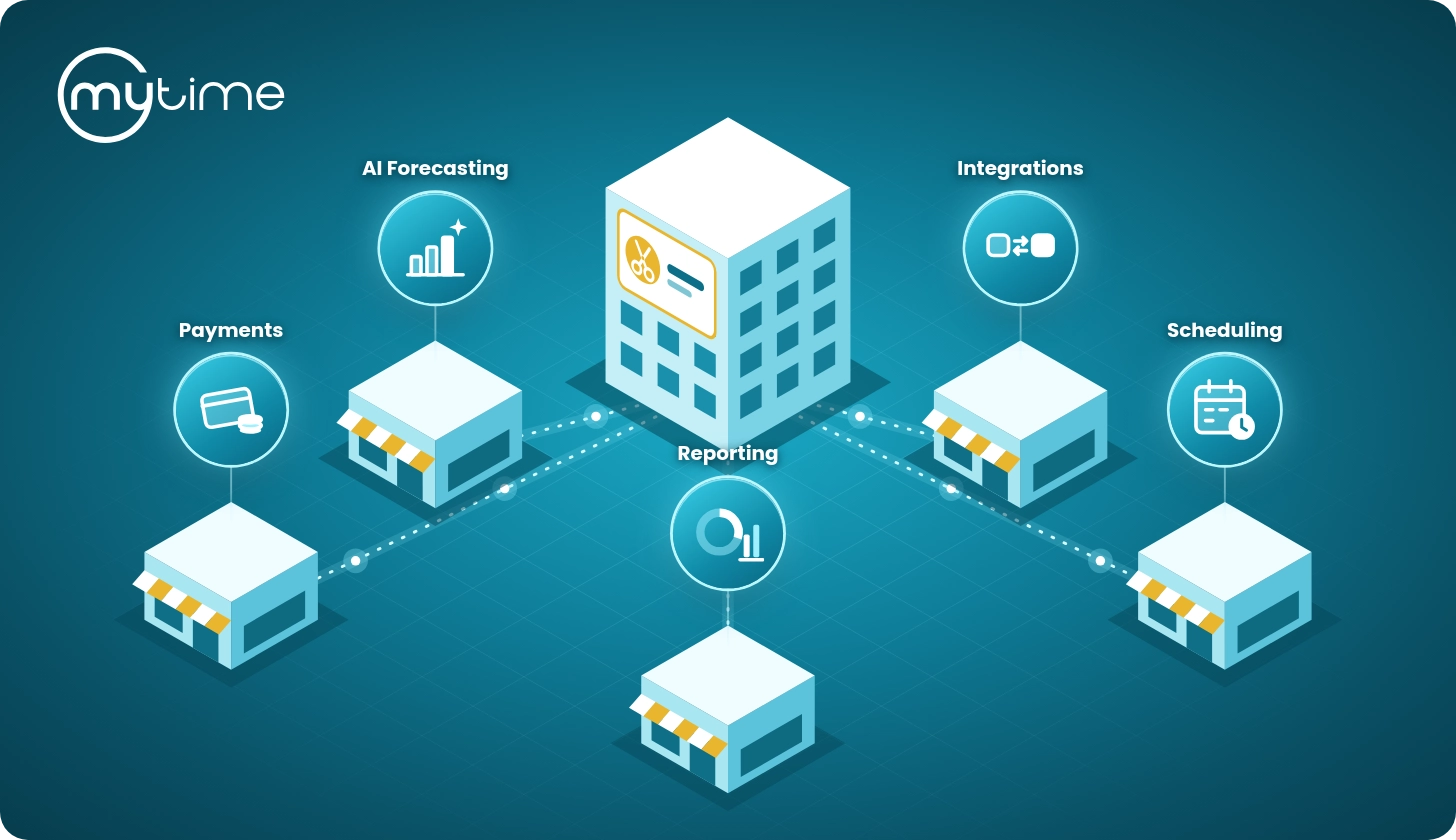
MyTime helps IV and med spa chains connect intake forms to the broader operating workflow. Instead of treating intake as a standalone form, MyTime connects booking, client records, Scheduler App workflows, staff intake forms, SOAP notes, waivers, reminders, and cross-location visibility.
With MyTime, IV and med spa brands can support:
- Customized intake forms and waivers in the booking process
- Global intake forms created at the parent or child level
- Multiple intake forms for different services, clients, and situations
- Custom and default custom fields
- Required levels for new and existing clients
- Appointment intake forms connected to the appointment modal and booking widget
- Scheduler App intake form generation and sharing
- Employee intake forms for staff documentation and SOAP notes
- Service-specific and role-specific staff forms
- Previous values and synchronized custom fields
- Digital waiver workflows
- Global client profiles
- Cross-location client records
- Automated appointment reminders
- Audit history for clinical intake form edits
MyTime’s Global Intake Form help article explains that appointment intake forms can include custom client, family member, pet, vehicle, and appointment custom fields, and that fields can appear when Generate Intake Form is selected on the appointment modal and on the booking widget (MyTime Help Center). The same article explains that intake forms have four required levels: not required, required for new and existing clients, required for new clients only, and required for existing clients only (MyTime Help Center).
MyTime’s Wellness & Med Spa page also connects intake to the larger med spa operating layer, including online booking, treatment rooms, specialist schedules, payments, inventory, marketing, memberships, client records, SOAP notes, reminders, and franchise management (MyTime Wellness & Med Spa).
That matters because intake is not an isolated step. It is part of the same journey that includes booking, arrival, service delivery, documentation, checkout, follow-up, retention, and cross-location continuity.
Intake form readiness checklist
Use this checklist to evaluate whether your IV or med spa intake workflow is ready to scale:
- Are intake forms tied to specific services?
- Are required fields configured for the right client type?
- Can clients complete forms before arrival?
- Can staff generate or share forms from the Scheduler App?
- Are staff-facing forms assigned by role?
- Are employee intake forms connected to SOAP note workflows?
- Are waivers included in the right appointment workflow?
- Are completed appointment fields locked or read-only where appropriate?
- Are custom fields synchronized where needed?
- Are client records available across approved locations?
- Are clinical intake form edits tracked with audit history?
- Are staff trained on which forms to use and when?
- Have legal, compliance, and clinical reviewers approved the questions, consent language, waiver process, and data handling approach?
If several of these answers are no, the intake problem may not be the form itself. The issue may be that intake is disconnected from the rest of the operating workflow.
FAQ
What are client intake forms for IV and med spa chains?
Client intake forms for IV and med spa chains are digital forms used to collect service-specific information before or during appointments. They help connect client details, appointment workflows, SOAP notes, waivers, staff documentation, and global client profiles.
What should a med spa intake form include?
A med spa intake form may include contact details, service goals, preferences, relevant history, contraindication screening questions, consent and waiver workflows, and service-specific questions. The exact form content should be reviewed by legal, compliance, and clinical advisors.
How do digital intake forms improve efficiency?
Digital intake forms improve efficiency by collecting information before arrival, reducing duplicate data entry, helping staff prepare for the visit, tying forms to specific services, supporting role-specific staff documentation, and keeping records visible across approved locations.
Are digital intake forms enough for compliance?
No. Digital intake forms can support compliance-aware workflows, but compliance depends on policies, safeguards, role-based access, workforce training, vendor review, documentation practices, clinical protocols, and legal review.
How does MyTime support intake forms and SOAP notes for med spas?
MyTime supports global intake forms, service-specific forms, Scheduler App generation and sharing, employee intake forms, SOAP notes, waivers, global client profiles, role-based visibility, cross-location records, automated reminders, and audit history for clinical intake form edits.
Build a better intake workflow across every location
Client intake forms are one of the first places IV and med spa chains can improve consistency. When intake is connected to booking, profiles, SOAP notes, waivers, reminders, staff roles, and cross-location records, teams are better prepared and clients get a smoother experience.
The best intake workflow is not just digital. It is standardized, service-specific, role-aware, compliance-aware, and connected to the full client journey.
Ready to streamline intake forms, SOAP notes, waivers, and client records across your IV or med spa brand? Book a MyTime demo.