



A fully booked schedule is a sign of a healthy business, but without a way for clients to indicate interest, it becomes a silent driver of lost demand. Every prospective client who visits your booking page, sees no availability, and moves on is a missed opportunity your business never even knew about. MyTime’s waitlist feature gives franchise brands a smarter way to capture that demand for both service appointments and classes, converting what used to be a dead end into a seamless path to booking.
The Cost of a Full Schedule Without a Waitlist
When clients are unable to book a service or sign up for a class online, the experience reflects on your brand. A full schedule with no path forward tells a prospective client there is nothing your business can do for them right now, and for many, that is reason enough to look elsewhere.
Cancellations and no-shows present a separate but equally familiar challenge. Without a waitlist, a slot that opens up mid-week or last minute depends entirely on a staff member catching it and filling it in time, pulling attention away from the clients already in front of them.
A waitlist solves both. It captures the interest of clients who want to come in, giving them a place to wait for the time that works for them, while keeping a ready pool of demand available to fill any openings that come up. The result is a schedule that works harder for your business in both directions.
It shows up in familiar ways across the brands we work with:
- A fitness studio’s early morning classes fill up days in advance, turning away clients who would have become regulars
- A client’s preferred stylist has no afternoon availability this week and with no way to indicate their interest should there be an opening, they book elsewhere instead
- A popular pet boarding location fills up for a holiday weekend, leaving pet owners with no way to secure a spot if one opens up
How Does a Waitlist Work for Franchise Brands?
A waitlist solution built for franchise brands needs to do two things well: give clients a clear and effortless way to join when they find a fully booked schedule, and give staff an organized view of demand within the tools they already use every day. MyTime’s waitlist is built to do both, fitting naturally into the booking and scheduling experience rather than adding a separate process to manage.
For clients:
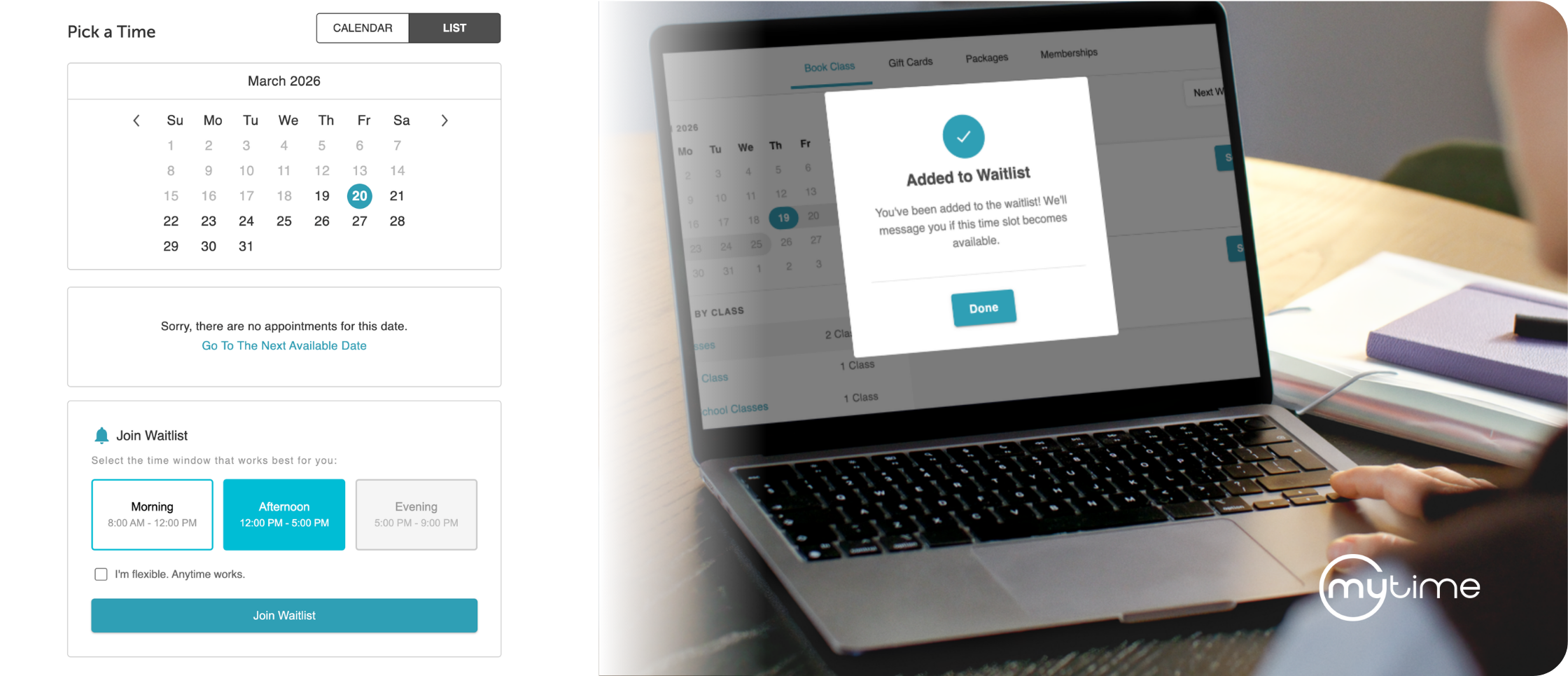
When a service or class is fully booked, clients can seamlessly join a waitlist from within your online booking flow. Rather than hitting a dead end, they indicate whether they want the next available time or a specific time window that works best for them. From their My Account page, they can view and manage all active waitlist requests at any time, keeping them engaged with your brand while they wait.
For staff:
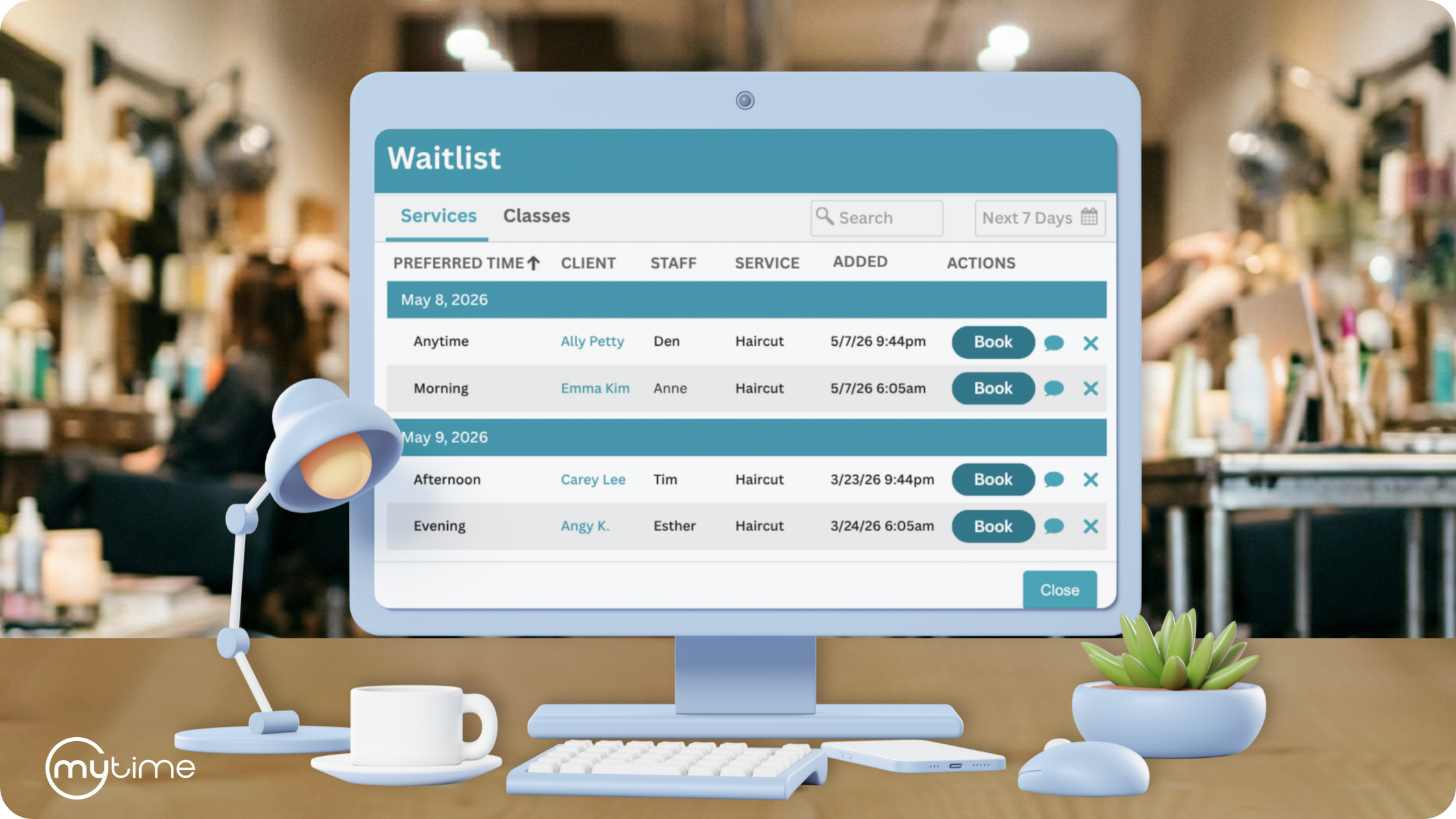
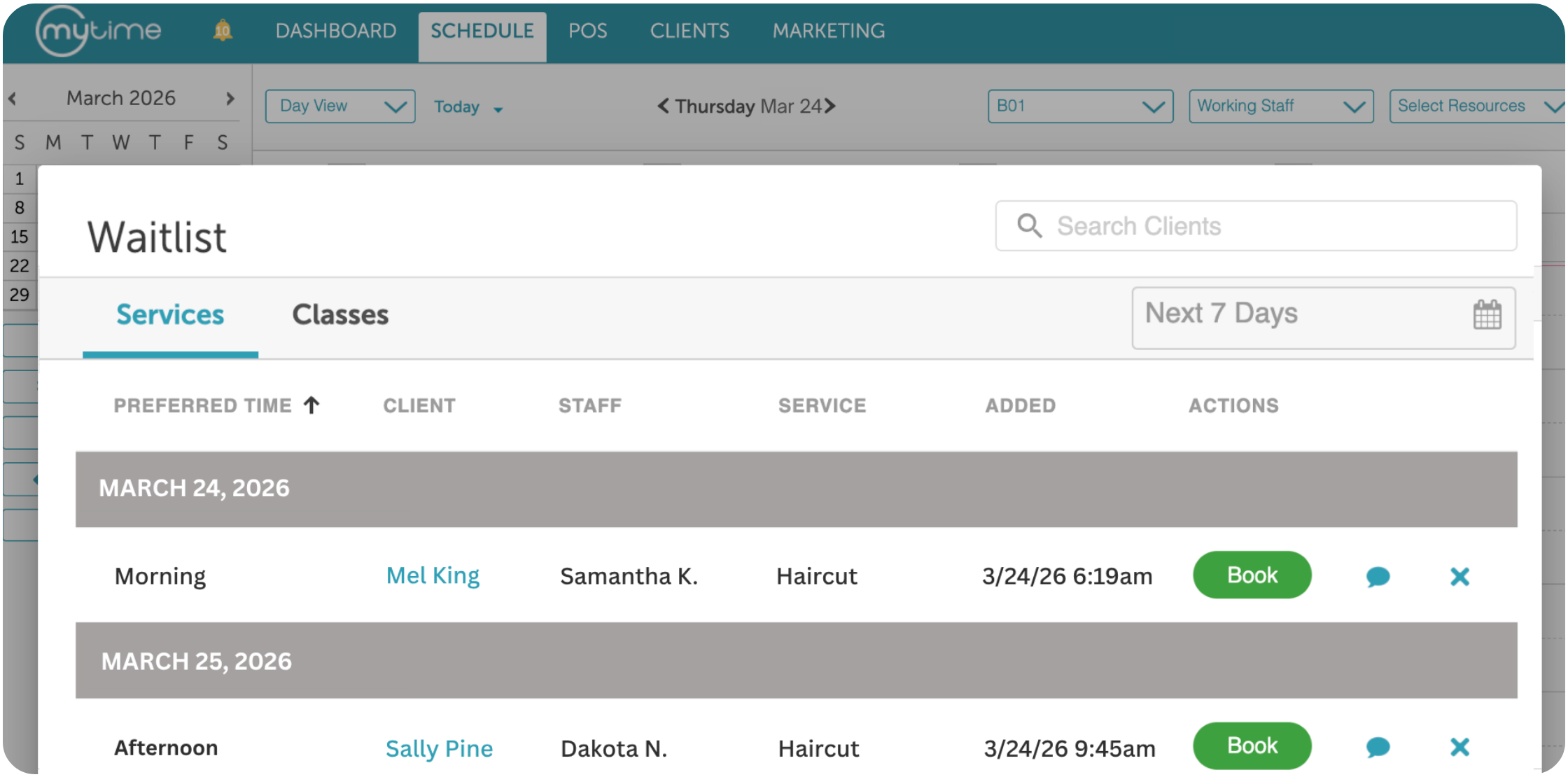
A dedicated waitlist view is built directly into the Scheduler, so as staff check and manage their daily appointments and classes, they can manage class capacity and service demand across the waitlist, monitor waitlisted clients, and convert entries into confirmed bookings in one click. Staff can also reach out directly through the Communicator, opening a two-way conversation that clients can respond to via SMS or through your branded guest app.
How Do You Automate Waitlist Management Without Adding Work for Staff?
When an appointment or class a client has been waiting for opens up, MyTime automatically notifies them via email, SMS, or push notification with a direct link to complete their booking. No manual outreach, no missed windows, and no open slots sitting unfilled while your team tends to other priorities.
That automation delivers three compounding benefits:
- Speed: The faster a waitlisted client is notified, the more likely the slot gets filled the same day, keeping your schedule as full as possible with no additional effort from staff
- Engagement: Timely, automatic outreach keeps clients connected to your brand even when they couldn’t secure their first-choice time, giving them a reason to come back rather than move on
- Schedule recovery: Every cancellation or no-show becomes an immediate opportunity rather than a gap that has to be managed manually, so your calendar recovers on its own
What Are the Benefits of a Waitlist for Franchise Brands?
For franchise brands, the impact goes well beyond filling a single open slot:
- Higher calendar utilization: Open slots get filled faster and more consistently, reducing the revenue impact of cancellations and no-shows across every location
- Reduced operational burden: Automated notifications and a centralized waitlist view mean staff spend less time chasing down replacements and more time delivering great service
- A better client experience: Clients always have a clear path forward when their preferred time is unavailable, reducing the frustration that drives them to book elsewhere
- Consistency across locations: Every location handles waitlisted clients the same way, ensuring the experience reflects your brand standards and builds the kind of trust that keeps clients coming back across your entire network
MyTime’s waitlist works within the same platform your teams already use for scheduling, booking, and client engagement. Demand captured through the waitlist flows directly into the Scheduler, giving your staff everything they need to manage it without switching between tools or workflows.
Frequently Asked Questions
Can clients join a waitlist when trying to book an appointment or class online? Yes. When a service or class is fully booked, clients are prompted to join a waitlist directly within your online booking flow, where they can indicate their preferred time window or select any available time.
How does a waitlist work for both service appointments and classes? MyTime’s waitlist supports both service appointments and classes through the same platform. Clients join from the booking flow and are notified automatically when a spot opens in their preferred time window, regardless of the booking type.
How are waitlisted clients notified when a spot becomes available? MyTime automatically sends a notification via email, SMS, or push notification the moment an appointment or class a client has been waiting for opens up, with a direct link to complete their booking.
How does a waitlist help franchise brands manage cancellations and no-shows? When a slot opens due to a cancellation or no-show, MyTime immediately notifies relevant waitlisted clients rather than leaving the slot unfilled, keeping the schedule optimized without requiring manual intervention from staff.
Does the waitlist integrate with the rest of the MyTime platform? Yes. The waitlist is built directly into MyTime’s scheduling and booking tools, so everything from captured client demand to confirmed bookings is managed in one place across all locations.
Ready to see MyTime’s waitlist in action? Book a demo.