



Every multi-location franchise brand has locations at different stages. Your first location has been open for years and has become the standard the rest of your brand is measured against. Your newest location opened last quarter and is still finding its footing, building a client base and working to match what your best locations do every day. Somewhere in between, a location does well on services but hasn’t started selling retail.
Totals across all your locations obscure those differences, and the locations that need the most attention are often the hardest to see. The goal of reporting isn’t more numbers. It’s knowing what each location needs from you next. That might be a check-in call, more training, a local promotion, or simply the room to keep doing what’s working.
MyTime Reporting and Analytics is built around that question. This article covers recent updates to MyTime Reporting and Analytics, designed to help franchise brands measure every location on its own terms and side by side with the rest of the brand. With them, you can see where each location stands and where your support will go the furthest, from your newest location to your most established.
How Do You Compare Every Location Side by Side?
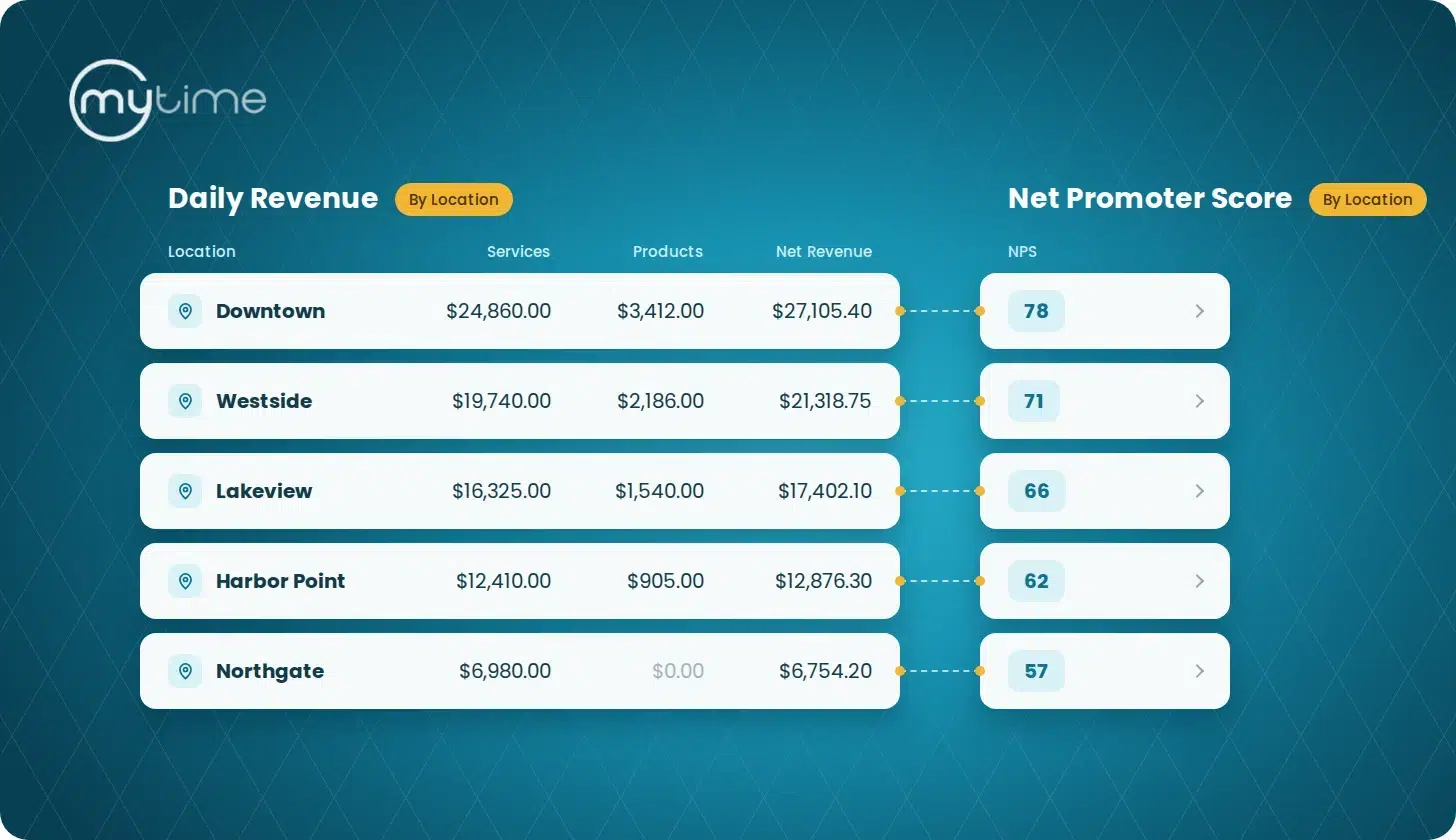
Start with reports that show every location, every time. In MyTime, 24 reports can be viewed by location, covering revenue and payments, bookings, service, product, and prepaid sales, clients, and staff retention. In each of them, every active location gets a row, even if it had no sales or bookings in the period you’re looking at. Those locations show zeros and are listed after the locations with activity.
That matters most for the locations you’re watching closely. Your newest location shows up next to your established ones from its first week, so you can watch it close the gap month by month. A location that had a slow stretch is still on the page, and the zero tells you plainly that nothing happened there in that period. The same rows carry into the CSV and PDF exports, so the full picture holds up when you share it with franchisees or regional managers.
How Do You See What Each Location Is Selling?
Open a sales report and view it by location. The By Service and Service Sales Detail reports show service sales, the Product Sales Detail Report shows retail, the With Add-ons Report shows add-on services, the By Class Report shows classes and events, and the Prepaid Sales Detail Report shows memberships, packages, and gift cards.
Because every location is listed, you can see what each one sells and also what it doesn’t. Say you’ve rolled out a new service across your brand. Filter the Service Sales Detail Report to that service, view it by location, and you’ll see where it’s catching on and which locations haven’t sold it yet. A location with strong retail sales might have something to teach the others. A location with a zero might need product training or a push to offer add-ons at booking.
Should You Track Gross or Net Revenue?
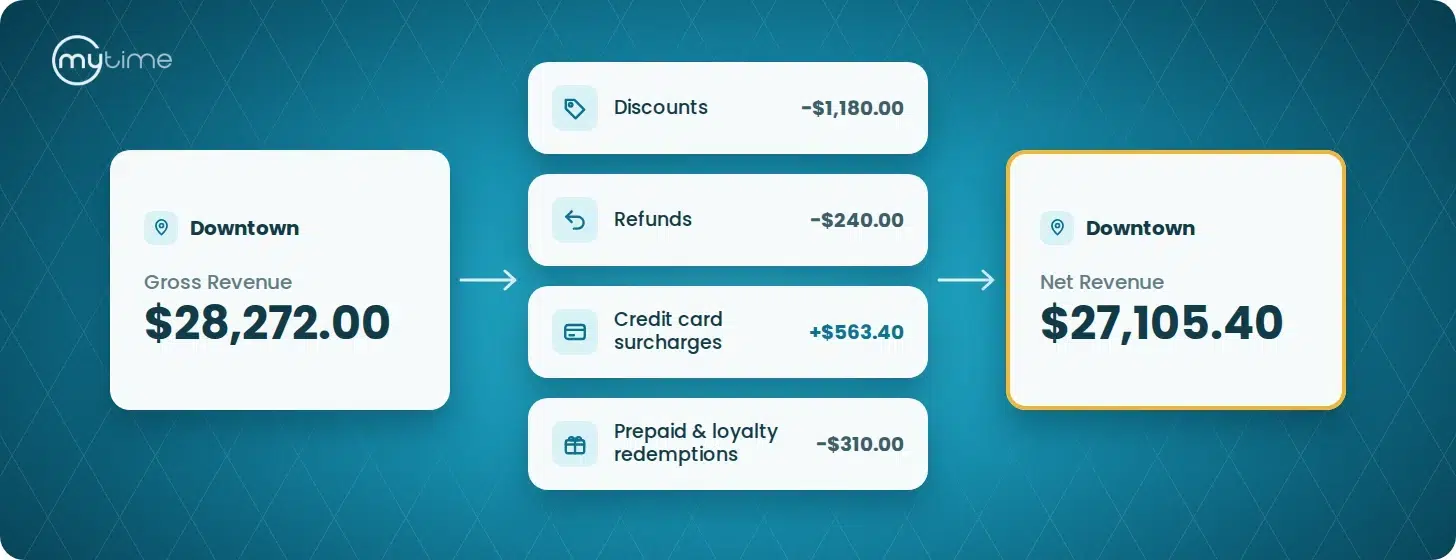
Track both, because they tell you different things. Gross revenue is sales before discounts, so it shows demand. Net revenue is what the location kept after discounts, refunds, credit card surcharges, and prepaid and loyalty redemptions. Two locations can bring in the same gross revenue and end up far apart on net, and when that happens, it’s worth looking at how each one handles discounts and refunds.
On the MyTime Dashboard, the Revenue, Revenue per Ticket, and Revenue by Type charts can show gross or net. Net on the Dashboard matches the Net total in the Daily Revenue Report, so the number you glance at in the morning is the same one you’ll see when you dig in.
Where Are Each Location’s Bookings Coming From?
The By Source of Booking Report shows how clients booked at each location: through your website, Google, Facebook, or Instagram, through marketplaces like ClassPass, by staff in-store, or by prebooking at checkout. The same breakdown appears on the Bookings view of the MyTime Dashboard and in the Business Snapshot.
Each location’s booking mix says something about how it runs. A location where most appointments are added by staff may have room to grow online booking. A location with a high share of prebooked appointments is good at getting clients to book their next visit before they leave, and that habit is worth spreading to your other locations.
How Do You Compare Client Satisfaction Across Locations?
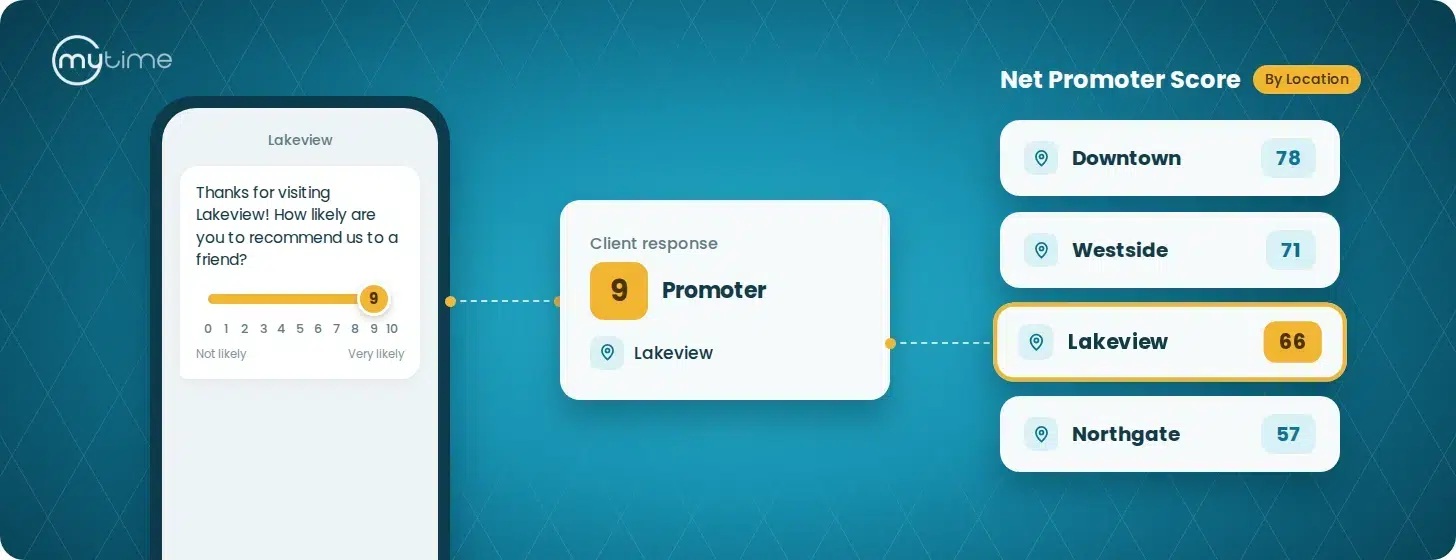
Use Net Promoter Score (NPS). After a client’s visit, MyTime can send them a short email or text asking how likely they are to recommend your business, on a scale from 0 to 10, with room to share feedback. Clients who answer 9 or 10 count as promoters, and clients who answer 0 to 6 count as detractors. A location’s NPS is its percentage of promoters minus its percentage of detractors, which gives a score from -100 to +100. A single score for your whole brand can hide a location whose clients are much less happy than everyone else’s.
MyTime’s Net Promoter Score Report has a location view with one score per location, and you can expand any location to read the reviews behind it. Viewed from the parent account, it includes every location in your brand. A low score comes with the reviews that explain it, which gives you something specific to coach on. A high score is worth recognizing, and worth understanding so other locations can learn from it.
How Do You Track Membership Retention by Location?
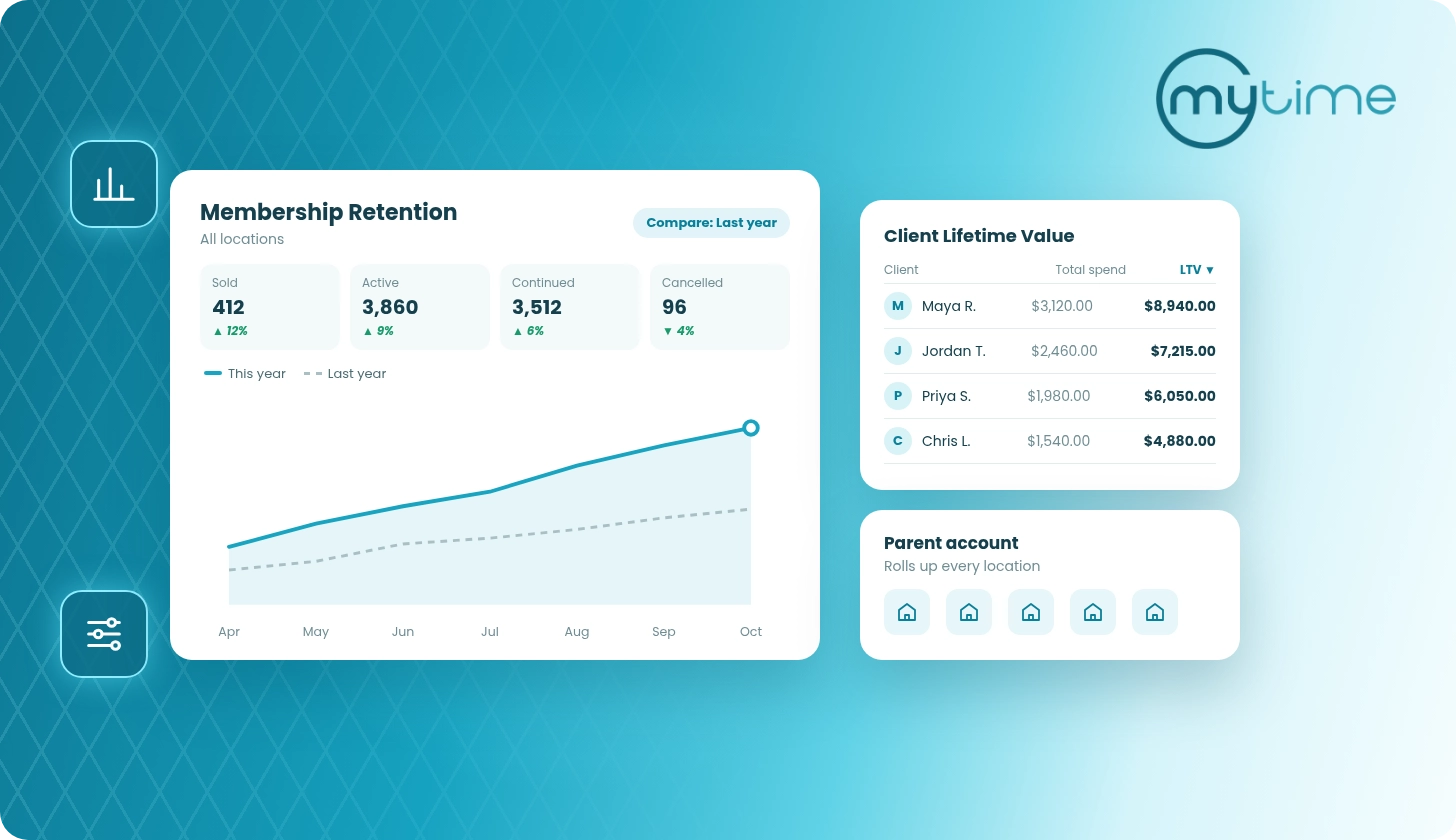
The Membership Retention Report shows memberships sold, continued, cancelled, and active, by day, week, or month. Viewed by location, it gives each location its own row, and you can expand any row to see its daily, weekly, or monthly detail.
Each location is compared with its own previous period, so your newest location is measured against its own progress, not against a location that has had years to build its membership base. If retention drops across your brand, you can see whether one location is driving it or several. A location with rising cancellations may need outreach to at-risk members, and one selling few memberships may need front desk training.
For more on how the report counts memberships, read How Franchisors See and Standardize Performance Across Locations.
Where Should a Daily Check-In Start?
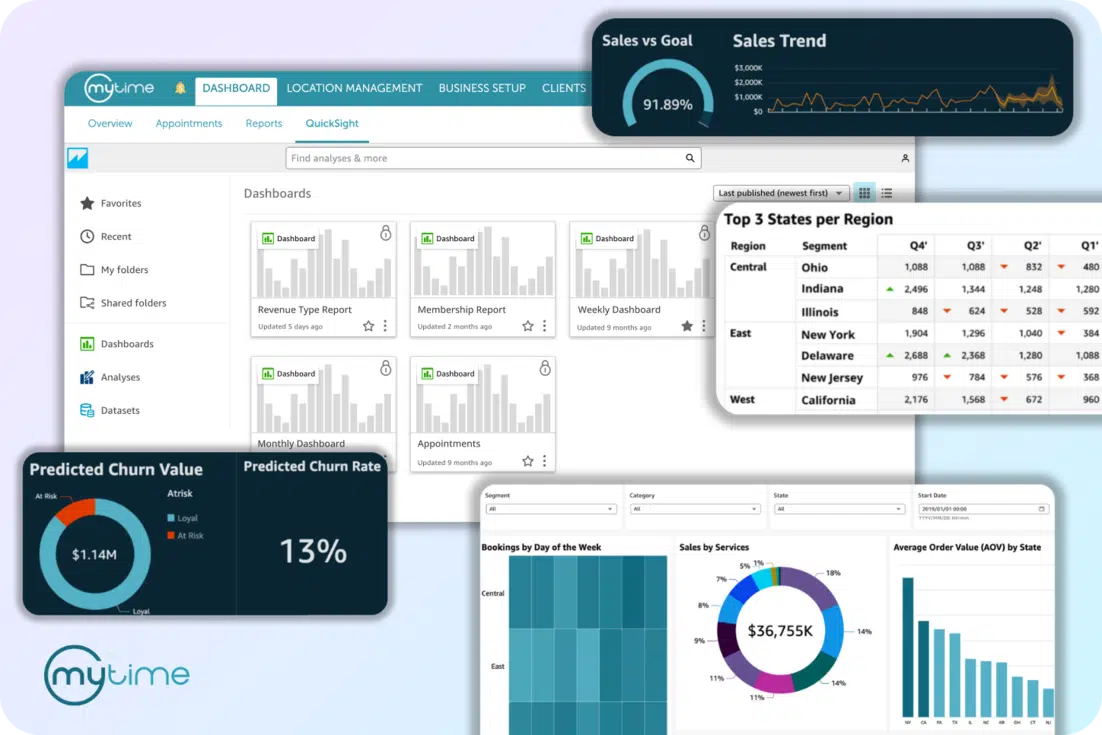
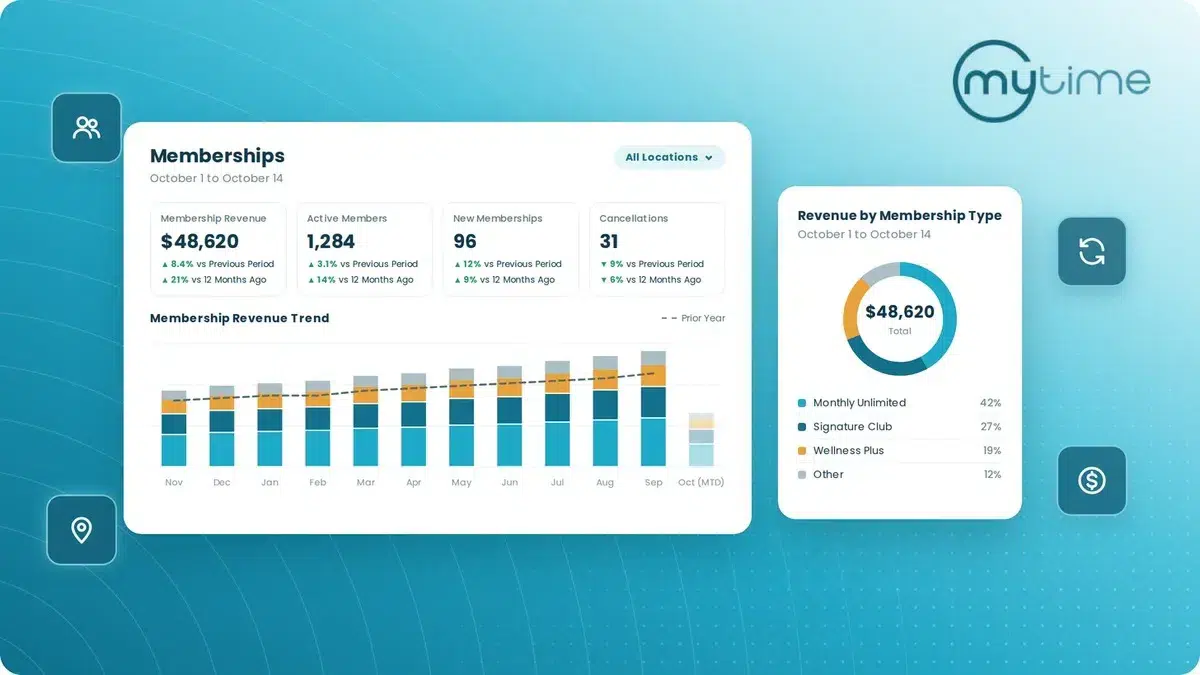
The MyTime Dashboard. It covers Revenue, Payments, Bookings, Services, Products, Memberships, Clients, and Productivity, and you can filter it by location, staff member, and date range or export a Business Snapshot PDF to share with your team.
The Memberships view shows membership revenue, active members, new memberships, and cancellations, each compared with the previous period and the same period last year. For a closer look, read How Franchises Track Membership Performance Across Every Location With MyTime.
Use the Dashboard to spot which location needs your attention today, then open the detailed reports to understand why.
Give Every Location the Support It Needs
Your gold standard location and your newest one need different things from you, and so does every location in between. MyTime Reporting and Analytics keeps all of them in view, side by side, so your next check-in call, training session, or promotion goes where it will make the biggest difference.
Book a Demo to see what each of your locations needs.
Frequently Asked Questions
What is franchise reporting?
Franchise reporting tracks performance at each location and across the whole brand, including revenue, bookings, sales, clients, staff, and memberships.
Do locations with no activity appear in MyTime reports?
Yes. When you view any of 24 MyTime reports by location, every active location is listed. Locations with no activity in the selected period show zero totals.
What’s the difference between gross and net revenue?
Gross revenue is sales before discounts. Net revenue is what remains after discounts, refunds, credit card surcharges, and prepaid and loyalty redemptions.
What booking sources does MyTime track?
Sources include your website, Google, Facebook, and Instagram, marketplaces like ClassPass, staff-added appointments, and prebooked appointments.
Can you compare NPS across locations in MyTime?
Yes. The Net Promoter Score Report has a location view with one score per location, and the parent account can see every location in the brand.
Can you track membership retention by location in MyTime?
Yes. The Membership Retention Report shows memberships sold, continued, cancelled, and active for each location, by day, week, or month.