



Checkout is the last point in every visit where a location can add revenue or lose it. Clients expect to pay with their phone or split a larger purchase. Card processing fees take a steady share of every ticket. The easiest upsell is often the one nobody remembered to offer. Here’s how MyTime handles each.
What payment options do clients expect from a service business?
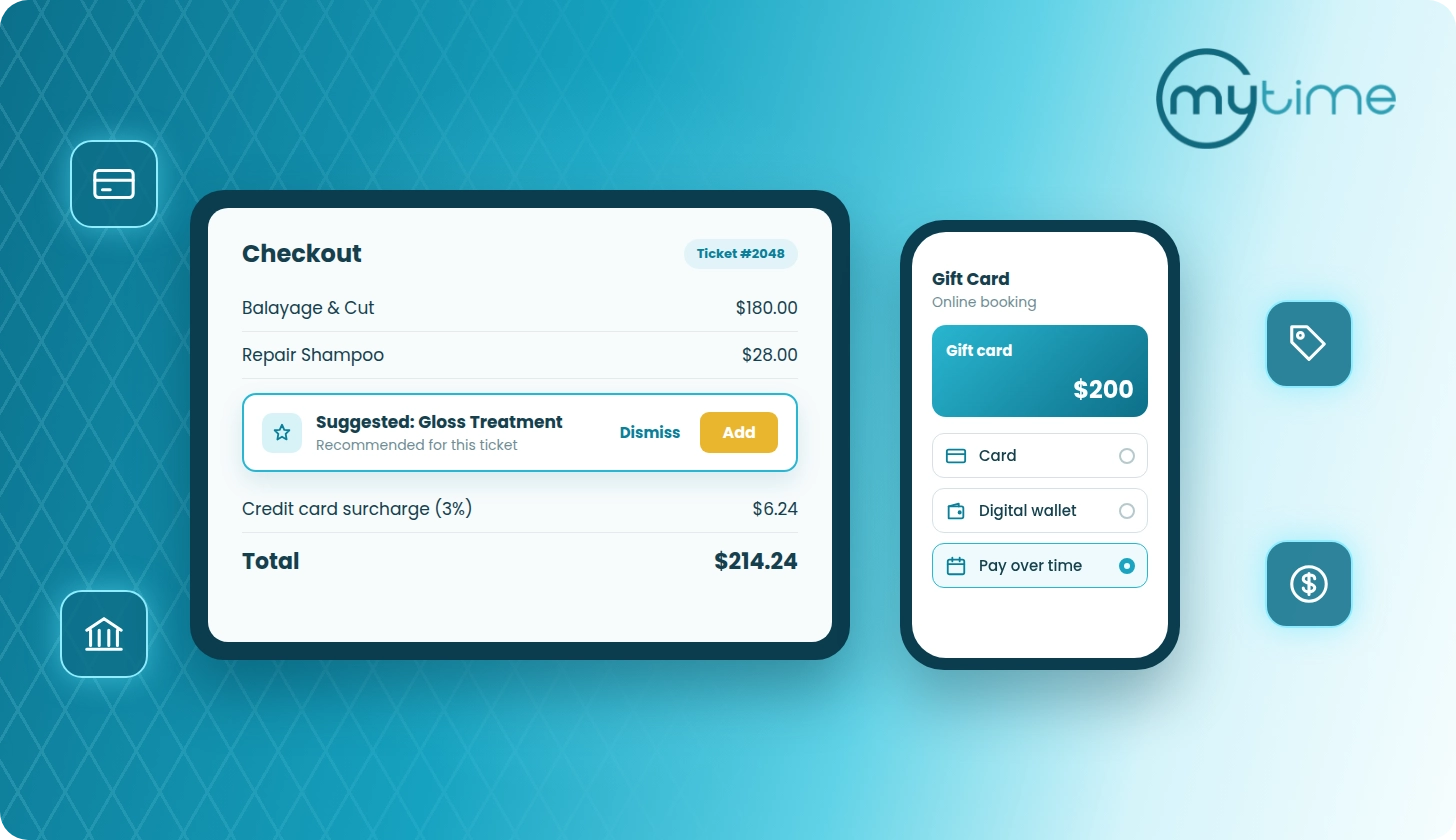
Beyond cards, clients expect digital wallets and a way to pay over time for larger purchases. In MyTime:
- Apple Pay® and Google Pay™ give clients a faster way to pay when they book or buy online.
- Afterpay covers the pay-over-time need, both in store and online.
Both are available to businesses that process payments through Stripe.
Can clients pay with Apple Pay or Google Pay at a service business?
Yes. In MyTime, Apple Pay and Google Pay appear in the online booking widget and on express checkout pages whenever the client’s device and browser support them. They work for online purchases, so a client can pay for a booking, a gift card, or a package from their phone in a few taps.
- Clients pay without typing in card details, and the payment is confirmed with the device’s own biometric check. Fewer steps at checkout means fewer abandoned bookings.
- Wallet payments appear with card payments in the Daily Payments report, so reconciliation works the same way.
- If a location surcharges card payments, the same surcharge applies to wallet payments.
Digital wallets need a registered client profile. Clients who check out as guests enter their card details in the standard card fields.
How does buy now, pay later work for salons and spas?
With Afterpay, the client pays in 4 payments over 6 weeks, interest-free.* The business receives the full amount upfront, and Afterpay collects the installments from the client.
- In POS: staff select Afterpay at payment and send the client a payment link by email, text through Communicator, or a shareable link. The ticket updates automatically once the client approves.
- Online: clients can choose Afterpay when buying gift cards and packages. Multi-session packages and higher-value gift cards become easier to say yes to.
For multi-location brands, an Afterpay by Location view shows which locations are live, so the brand can track rollout across the system.
Read more: How Offering Afterpay at Checkout Helps Franchises Close Higher-Ticket Sales
Can service businesses pass card processing fees to clients?
In many places, yes, as long as the business follows card network rules and local regulations. Credit card surcharging lets a location add a small fee to card payments to cover what its processor charges, instead of absorbing that cost on every ticket. Every card sale carries that cost, and across a franchise system it adds up at every location.
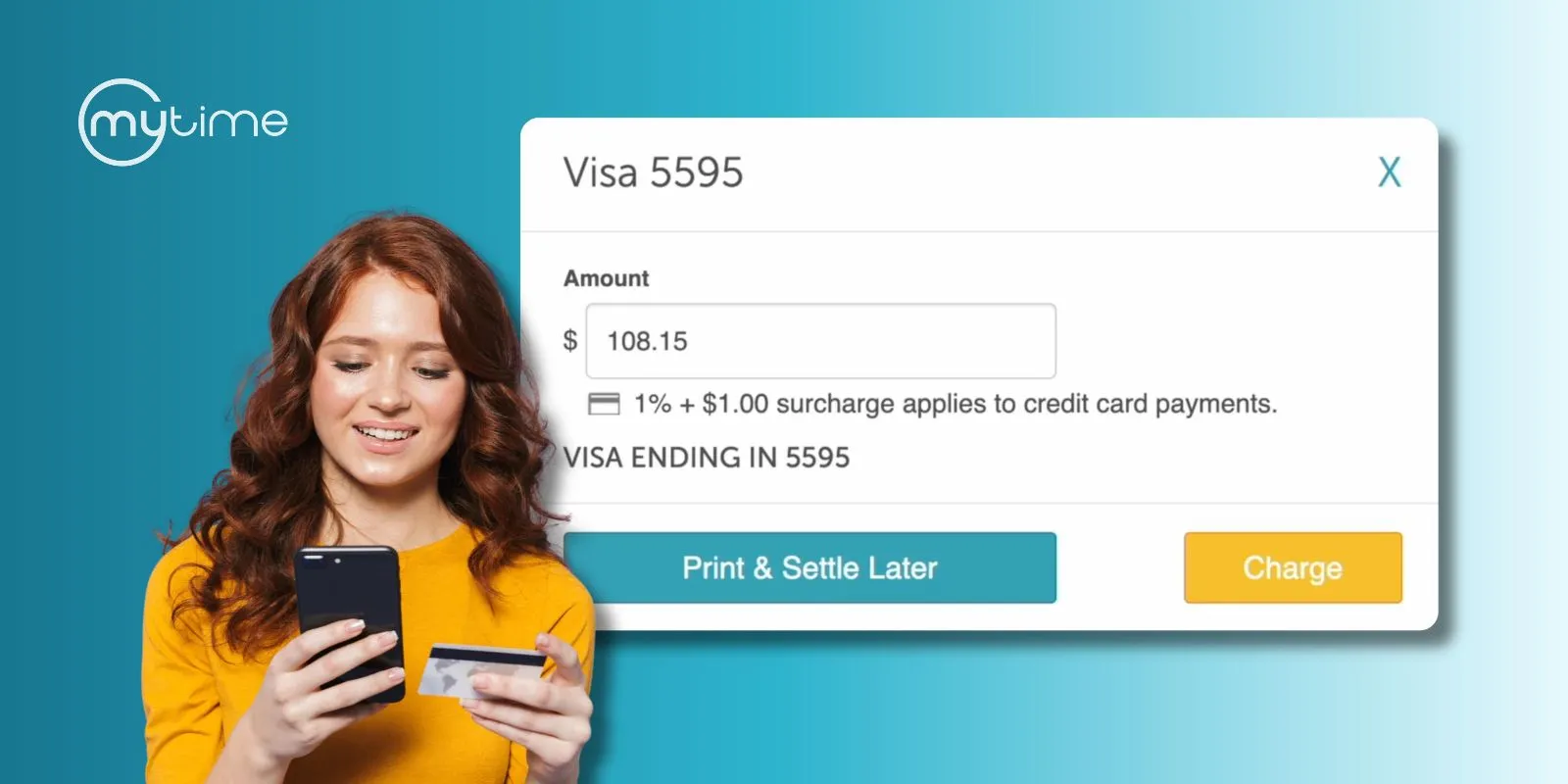
MyTime applies the fee automatically and shows it to the client before they pay:
- The surcharge appears on payment terminals, in online booking, and on receipts.
- Rates can be set up to 3%, by card type and by transaction type (in person, online, or both).
- Card network rules don’t allow surcharging tips, so MyTime leaves the tip out of the calculation.
- Surcharges post as their own line item in POS Accounting, so finance teams can track recovered fees separately.
For multi-location brands, a single surcharge rule can be assigned to a location group and applies to every location in it. New locations created with the template copier pick up the existing surcharge setup automatically.
Surcharging rules vary by country, state, and province, and some places don’t allow it at all. Each business is responsible for confirming that surcharging is permitted where it operates, and that its rates and disclosures meet local requirements, before turning it on.
Read more: Recover Rising Card Fees With Transparent Surcharging, Now Available in MyTime
How can staff increase ticket value without a hard sell?
POS checkout prompts suggest specific items at the moment staff take payment, based on rules the business sets. A rule can trigger on:
- Time of day or day of the week
- A minimum ticket total
- Whether a client has received a service a certain number of times, or never
Each rule can suggest products, services, memberships, packages, gift cards, or a custom fee. For example, a ticket over $200 can prompt a membership offer, and a client who has booked the same service twice can be offered a package.
Staff add the suggestion with one click or dismiss it. If several rules apply, the suggestions appear together in one prompt. Upselling becomes consistent across every staff member and location instead of depending on who remembers.
How do memberships and packages protect revenue?
Recurring revenue only matters if it gets collected. With Direct Debit, clients can pay for memberships straight from their bank account. Bank transfers typically cost less to process than credit cards, and that difference adds up on charges billed every month.
Getting clients set up takes little staff time:
- Staff send a secure link by text through Communicator or as a shareable link, and the client enters their own bank details.
- Clients can also add a bank account themselves from My Account in online booking.
- When a client buys a membership with a bank account, recurring charges are set to bill to that account automatically.
- A saved bank account can also be used for other purchases at the register.
For franchise brands, each location can receive bank payments into its own account.
Read more: How Franchises Reduce Membership Churn With Smarter Billing and Renewal Communication
Memberships and packages also protect revenue when a client misses a visit. Package and membership item credits can be applied to late cancellation and no-show fees, so the appointment is still compensated.
**See how checkout works in MyTime. Book a Demo**
*Afterpay Pay in 4: 4 payments over 6 weeks, interest-free. Late fees may apply. Eligibility criteria apply. See afterpay.com for more details. Loans to California residents made or arranged pursuant to a California Finance Lenders Law license.