



A better app experience — faster, smoother, and built around how you work
Over the last 18 months, our engineering team shipped 91 releases and 376 improvements to the MyTime Scheduler app for iPhone and iPad. The majority of that work traces back to a merchant conversation: a front-desk lead sharing what a busy Saturday actually looks like, a multi-location operator asking for the phone to match the web view-for-view, a pet-care franchise walking us through a family booking with three dogs.
We listened, we invested, and we shipped. Then we did it again, at an average pace of one new release every six days.
This post tells that story two ways. First, in six customer-facing focus areas that describe how the day-to-day experience changed. Then, in a full by product area breakdown showing where the 376 improvements landed across the app.
Why this update matters for multi-location service businesses
If you run a salon, spa, barbershop, med spa, pet-grooming location, or a franchise system across all of the above, your mobile app is not a nice-to-have. It is the tool your owners use to check the day from the road, the tool your front desk reaches for during a rush, and, for many teams, the tool that closes the sale at the chair or the grooming table.
That is why we treat every merchant conversation as an input to the roadmap, not a support ticket to close. When operators asked for faster launches, we rebuilt the launch path. When a boarding operator explained how a multi-day stay actually works, we rebuilt group bookings and deposits around that reality. When front-desk teams asked for phone and web to move in perfect step, we brought the two into sync, one improvement at a time.
Below is the record.
Table of contents
- Fast from the first tap
- A calendar you can trust
- Checkout that adds up
- More ways to get paid
- Built for groups, deposits, waitlists, and class days
- The whole client story, on mobile
- What changed, by product area
- By the numbers
- Frequently asked questions

Fast from the first tap
From three minutes to three seconds. A 60x faster app launch.
Before
Mobile scheduling apps in this category are notoriously chatty at startup, and ours was no exception. Merchants running large accounts on older iPhones or iPads asked us to shave time off the launch experience and give the calendar a smoother scroll. Their asks became measurable targets our iOS team tracked every release.
After
The MyTime Scheduler app now launches in under three seconds. Client profiles open about five times faster. Big-account calendars scroll smoothly. If the app has been closed for a few hours, the schedule refreshes itself the next time you open it.
The improvements at a glance
- Under-three-second app launch, achieved through five rounds of startup optimization.
- Client profiles open in under one second, from around four seconds previously.
- Long profile-load waits on large client records are resolved.
- Two-to-four seconds shaved off every launch by removing an unnecessary startup network check.
- Set-and-forget freshness: the schedule refreshes itself after roughly six hours of inactivity.
- Smooth week-view scrolling on large staff accounts, replacing the two-to-three-second pauses some accounts had reported.
How your feedback shaped it
It started with a merchant note titled “iOS devices taking a long time to log in and load schedule.” From there, our team began measuring launch time as a health metric release over release. The sharpest wins came directly from the field: one merchant flagged long waits on specific client profiles, we reproduced the moment and shipped a fix; another asked for the schedule to stay fresh between sessions, and that ask became the automatic six-hour refresh you use today.

A calendar you can trust
One schedule, one truth. The app in your pocket now moves in lockstep with the front desk.
Before
Multi-location operators told us they wanted the phone and the web to agree on every detail, from blocked time to daylight-saving edge cases. In some scenarios, the two views did not match perfectly. Each of those scenarios came in as a report from a real front-desk team, and each one gave our team a specific gap to close.
After
What the web shows, the app shows. Appointments stay put. Blocked time and working hours match the website. Daylight-saving edge cases are resolved. A new Agenda view gives owners and managers a clean, hour-by-hour read of the day the moment they open the app.
The improvements at a glance
- Appointment display and layout brought into full parity with the web across day, week, and Agenda views.
- Blocked time and working hours sync one-to-one between web and mobile.
- Daylight-saving time correctly applied across day, week, and staff views.
- New Agenda view for an at-a-glance read of the day.
- Waitlist visibility right on the schedule, so front-desk teams can fill open time faster.
How your feedback shaped it
Most of these improvements started as a side-by-side observation from a front-desk lead: “here is what the web shows me, and here is what the phone shows me.” Fix by fix, we closed those gaps until the calendar became a single source of truth on both devices. Wherever possible, each improvement links back to the original merchant conversation that inspired it.

Checkout that adds up
Checkout math that just adds up, on phone and web alike, down to the cent.
Before
High-volume merchants running layered promotions and packages sent us the trickiest checkout scenarios in the industry. In a small number of edge cases, phone and web totals could differ by pennies, or a deposit refund could look off. Every one of those cases became a test scenario for our engineering and QA teams.
After
Mobile app totals now match web totals, every time. Auto-applied promotions are calculated on MyTime’s servers, so the same discount lands wherever the sale is rung up. You can refund a card payment while a ticket is still open, and staff with the right permission can reopen a closed ticket to fix a mistake instead of voiding the whole sale.
The improvements at a glance
- Promotion and discount math tested against the web down to the cent.
- Terminal tipping behavior corrected so every tip lands exactly once.
- Deposit refund amounts display accurately on the app.
- Card refunds allowed on open tickets, not just closed ones.
- Permission-based “reopen closed ticket” workflow to correct mistakes cleanly.
- Price edits automatically recalculate any linked promotions.
How your feedback shaped it
Salons running aggressive promotion stacks helped us validate the discount math down to the cent, including one scenario that traced back to an 80-cent mismatch across a specific bundle. The guiding rule for the rest of this work is simple: if the web can do it, the phone should too.

More ways to get paid
Get paid your way, from invoices to bank payments to tap-to-pay, right from the device in your hand.
Before
Merchants told us they wanted more ways to get paid without walking back to the computer, especially in the field, at the chair, or during a busy check-in. The phone app started as a strong scheduler and calendar first, and merchants asked us to make it just as strong at the moment of payment.
After
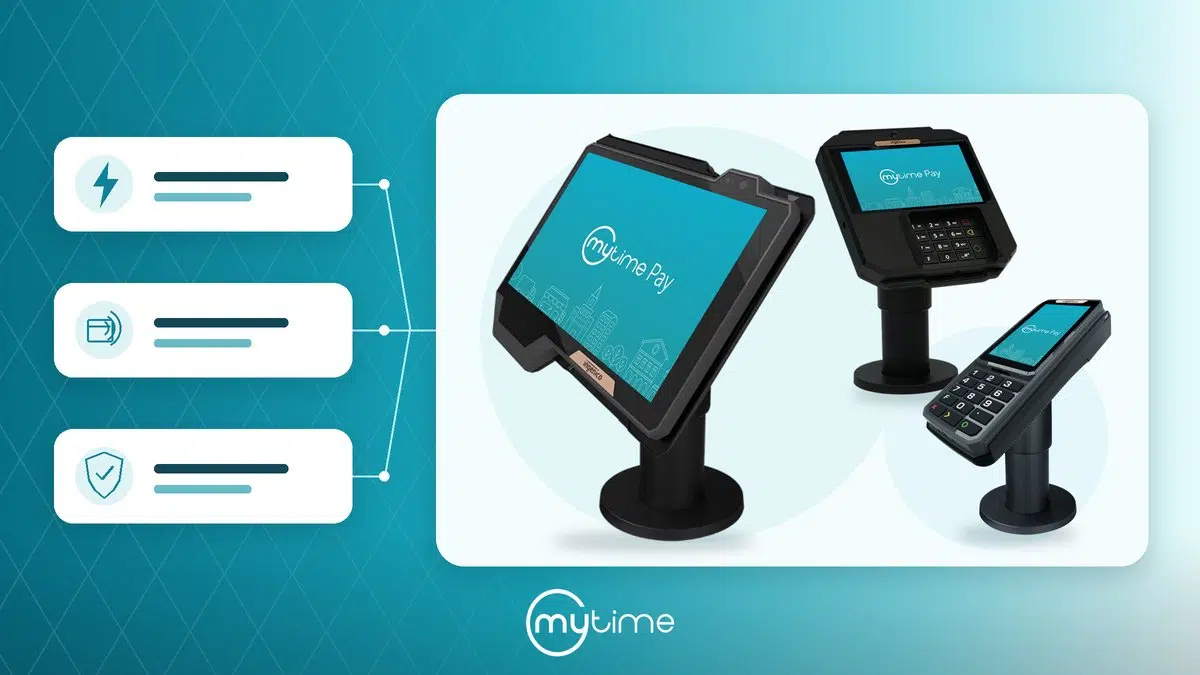
Tap, charge, done. Card readers got a run of improvements so checkouts hold up with a client waiting. You can now send an invoice directly from an open ticket, take bank-account (ACH) payments on iPhone, and pass card-processing costs on with surcharging on iPhone and iPad.
The improvements at a glance
- Send an invoice straight from an open ticket without leaving the app.
- Bank-account (ACH) payments on iPhone for lower-fee, larger-ticket transactions.
- Faster, more reliable Tap to Pay on iPhone.
- Smarter surcharge rules, including separate EFTPOS and international-card rates for merchants in Australia.
- A run of terminal improvements so card readers respond consistently at checkout.
How your feedback shaped it
Several terminal improvements came from a single detailed report — for example, a barbershop that walked us through a specific card-reader scenario until we could reproduce it. The surcharge rules came straight from merchant need too: Australian businesses asked for separate EFTPOS and international-card rates, and we built exactly that.

Built for groups, deposits, waitlists, and class days
Book the whole family, take the deposit, and fill the waitlist, all in one flow.
Before
Multi-pet families, couples services, and boarding stays each have their own choreography. Merchants asked us to build one booking flow that handles all of it and to add deposit collection at the moment of booking. Their input became the specification for group appointments and multi-day reservations.
After
One family, one booking, one ticket. A grouped appointment covers multiple pets or family members and checks out together. Deposit-required services collect payment the moment the client books. Clients can be waitlisted for specific services, with real openings offered first. View Openings finds the next available slot for you. Recurring class enrollment is a one-step action.
The improvements at a glance
- Group appointments for families, couples, and multi-pet bookings, checked out on a single ticket.
- Deposit collection at the point of booking for deposit-required services.
- Service-specific waitlists, with real openings offered first.
- View Openings tool for finding the next available slot in one tap.
- Recurring class enrollment in a single step.
- Correct buffer times for couples services.
How your feedback shaped it
Group bookings were designed hand-in-hand with the front-desk teams of a multi-location pet-care franchise. The multi-day flow, including deposits that automatically adjust when a boarding stay’s dates change, was built around how boarding businesses actually operate day to day. Correct buffer times for couples services came from a massage therapist’s detailed walkthrough.

The whole client story, on mobile
Every detail about the client, right in your pocket. No more walking back to the computer.
Before
The web has always been the deepest view of the client. Merchants told us they wanted the phone to bring more of that depth to the counter, especially in pet-care environments where breeds, ages, and vaccine records matter every visit. Their asks pointed us at exactly what to build.
After
Everything about the client is one tap away. The full client list loads instantly with an A-to-Z jump strip. Profiles now carry icons, ages, vaccine labels, full history, and past-visit notes. For businesses on the new Communicator, the Messages tab was rebuilt from the ground up. Package balances now show right on the appointment card, so staff can see at a glance what a client has left to redeem.
The improvements at a glance
- Full, instantly loading client list with A-to-Z jump navigation.
- Profile icons, ages, and vaccine labels visible at a glance, especially valuable at the pet-care counter.
- Complete visit history and past-visit notes accessible from the profile.
- Rebuilt Messages inbox for businesses on MyTime Communicator.
- Package credit balances displayed directly on the appointment.
- Waiver and past-form-answer visibility on mobile, matching the web.
How your feedback shaped it
Almost every improvement in this focus area answered one theme: bring more of what merchants love about the web into the app. Merchants pointed us at the specific screens where they wanted more depth, and our team closed those gaps one release at a time. Pet-care businesses gained the most from this work, because breeds, ages, and vaccine records now sit right at the counter where they belong.
What changed, by product area
The six focus areas above tell the customer-facing story. The section below shows where the 376 improvements landed across the app. It is a useful reference if you are evaluating MyTime for a specific capability, or if you want to see the full scope of what has changed.
Faster days behind the counter — App Launch & Scheduler Speed (5 improvements)
A running program of optimization work on the two things staff touch most: how fast the app opens and signs in, and how quickly the Scheduler loads. Every release built on the last. Business benefit: less waiting between clients, smoother handoffs during a rush, and a mobile experience that keeps up on older devices.
A calendar operators can rely on — Scheduler & Calendar (52 improvements)
The largest single body of work in the record. Day, week, and Agenda views were tuned for parity with the web, appointment tiles were made easier to scan, and blocked time and working hours were brought fully into sync. Business benefit: the schedule is now a single source of truth on phone and web, which means fewer double-checks and fewer avoidable questions to the front desk.
One flow for every booking, from solo to family — Appointments & Booking (66 improvements)
Group appointments, waitlists, deposits, and booking validations all got major attention. Multi-pet and family bookings check out on one ticket. Deposits collect at the moment of booking and adjust automatically for boarding date changes. Business benefit: fewer taps to book, cleaner check-ins, and revenue captured up front.
Checkout math that always agrees — POS & Checkout (81 improvements)
The largest concentration of work outside the calendar. Promotion and discount math were validated against the web down to the cent. Tip handling, refunds, and reopen-closed-ticket permissions were all tightened. Business benefit: faster, more confident checkouts, cleaner end-of-day reconciliation, and less back-and-forth with support.
More ways to accept, more devices to charge on — Payments & Card Processing (21 improvements)
Tap to Pay on iPhone got faster and more reliable. Terminal handling was rebuilt around real merchant scenarios. Surcharge rules were extended for international markets. Business benefit: more ways to get paid without leaving the app, and card-reader behavior you can count on when a client is standing at the counter.
Send it, get paid, move on — Invoicing (3 improvements)
Merchants can now send an invoice directly from an open ticket. Business benefit: the flexibility to close revenue outside a walk-in visit — helpful for corporate accounts, franchise groups, and remote clients.
Retention that runs itself — Memberships, Packages & Promotions (30 improvements)
Package and membership usage now appears on scheduler tiles and appointments. Promotions calculate consistently against the web. Business benefit: staff always know what a client is entitled to, and clients experience their memberships as a smooth part of every visit.
The whole client, at the counter — Clients & CRM (56 improvements)
The client profile on mobile now carries the depth operators expect from the web. Icons, ages, vaccine labels, full visit history, past-visit notes, and waiver visibility are all there. Business benefit: more informed conversations, better personalization, and less back-office lookup work between clients.
Classes and events, without the extra steps — Classes & Events (15 improvements)
Recurring class enrollment is a one-step action. Class-day workflows were tuned for how instructors and front-desk teams actually run them. Business benefit: a smoother class-day experience for both staff and clients, especially at studios running multiple sessions a day.
Client conversations that stay in one place — Messaging & Notifications (11 improvements)
For businesses on the new Communicator, the Messages tab was rebuilt from the ground up. Notification behavior was tightened across the app. Business benefit: faster responses to inbound client questions and fewer missed messages during a busy shift.
The right permissions, in the right hands — Staff & Access Control (5 improvements)
Reopen-closed-ticket permissions, staff filter behavior, and access-related refinements. Business benefit: managers can delegate confidently, and staff can act on what they need without over-broad access.
Cleaner counts, cleaner sales — Inventory & Products (10 improvements)
Product handling on mobile was tuned to match how merchants actually add, adjust, and sell inventory at the counter. Business benefit: more accurate on-hand counts and fewer retail-side surprises at end of day.
End-of-day clarity, in the palm of your hand — Reports & Receipts (13 improvements)
Receipt behavior and mobile reporting were tightened so operators can close out from the app. Business benefit: cleaner receipts for clients, and faster answers to the “how did we do today” question.
Reliability, quietly measured every release — Speed & Stability (6 improvements)
Behind-the-scenes stability work that most staff never notice, which is exactly the point. Business benefit: an app that stays out of the way when a client is waiting.
Small settings, meaningful polish — Languages & Settings (2 improvements)
Refinements to language handling and settings behavior across the app. Business benefit: a polished experience for merchants and staff outside the US and for businesses running multi-language teams.
By the numbers
Every figure below is drawn directly from our engineering record.

Some features are enabled on a per-business basis, so your account may not show every item above. Your account manager can confirm what is turned on for you.
What this all adds up to
The MyTime Scheduler app you use today is not the same app you used 18 months ago. It is faster from the first tap. It agrees with the web. Checkout math is exact. You can send an invoice or run an ACH payment from the palm of your hand. You can book a whole family on one ticket, collect a deposit at booking, and see every detail of the client profile without walking back to the computer.
More importantly, every one of those changes started with a conversation between our team and a merchant like you. We treat your input as the roadmap. That is why we shipped a new release every six days for a year and a half straight, and it is why we are not slowing down.
If any of the improvements above are new to you, open the app and take a fresh look. If you have a suggestion for the next release, we are ready to hear it.
Ready to see what MyTime can do for your business? Book a demo with our team.
Already a customer and love the app? A quick, honest review on the App Store helps other multi-location service businesses discover MyTime. Leave a review.
Frequently asked questions
What is the MyTime Scheduler app?
The MyTime Scheduler app is the iPhone and iPad app that owners, managers, and front-desk staff at multi-location service businesses use to run their day: viewing the calendar, booking and checking out appointments, taking payments, managing clients, and running classes and events. It works in lockstep with the MyTime web platform.
Who is the MyTime Scheduler app for?
MyTime Scheduler is built for multi-location service businesses, including salons, spas, barbershops, med spas, pet-grooming and pet-care brands, boarding facilities, wellness studios, and the franchise systems that operate them. It supports single locations too, but its group bookings, deposits, waitlists, and multi-location reporting are designed with chains and franchises in mind.
How much faster is the app than it used to be?
The MyTime Scheduler app now launches in under three seconds, compared to launches that could take up to three minutes 18 months ago. That is a 60x improvement, measured by our iOS team in August 2026. Client profiles open about five times faster, and long profile-load waits have been resolved.
Does the mobile app fully match the web platform?
The app now mirrors the web on the workflows most operators use during the day: the calendar, blocked time, working hours, appointments, checkout math, promotions, refunds, waivers, notes, and the client profile. Some newer features are enabled per business, so your account may not surface every item. Your account manager can confirm what is turned on for you.
Can I accept payments through the MyTime Scheduler app?
Yes. You can take card payments with a compatible reader, use Tap to Pay on iPhone, send an invoice from an open ticket, and accept bank-account (ACH) payments on iPhone. Card processors and surcharge rules vary by market and by processor; your MyTime team can walk you through the options for your business.
How often does MyTime release updates to the Scheduler app?
Over the last 18 months, MyTime shipped 91 releases containing 376 improvements, an average of one release every six days. That cadence is driven directly by merchant input.
How is customer feedback incorporated into the app?
Nearly every improvement in this record started as a merchant conversation, a support ticket, or a side-by-side comparison from a front-desk or ownership team. Feedback is triaged into engineering tickets, prioritized against release windows, verified against real code changes, and shipped. Where possible, each improvement links back to the original ticket that inspired it.
How do I share feedback or a feature request with MyTime?
Log a ticket through the support flow inside your account, or contact your account manager directly. Detailed input, especially side-by-side comparisons that show a difference between the app and the web, helps us reproduce and refine issues quickly.
Where can I download the MyTime Scheduler app?
The MyTime Scheduler app is available on the Apple App Store for iPhone and iPad. Sign in with your MyTime account credentials.
Take the next step
The MyTime Scheduler app was rebuilt in the open, one merchant conversation at a time. If you would like to see how MyTime fits your locations, book a walkthrough with our team.