


A Smarter Scheduler, Designed for Real Workflows
Scheduling is central to running a successful service business—but it shouldn’t require constant workarounds or manual effort. Whether you’re checking your calendar, managing a front desk, or overseeing multiple locations, your team needs tools that adapt to the way they work.
MyTime’s Scheduler is built for flexibility, speed, and accuracy at scale. These latest enhancements go even further—eliminating friction, improving visibility, and making it easier to manage appointments across any role or environment.
Backed by a Complete Platform
Scheduling isn’t just a task—it’s where staff, services, resources, and client expectations intersect.
That’s why MyTime’s Scheduler is fully integrated with the rest of our comprehensive franchise management platform, connecting appointment logic to your client management, staffing, marketing, and point of sale. These latest updates build on that connected foundation, targeting high-impact areas where speed, clarity, and adaptability matter most.
Navigate the Calendar with Confidence
Scheduling doesn’t look the same for every role or location. Whether your team needs to review availability, manage capacity, or coordinate shared spaces, MyTime’s flexible calendar views help them see what matters and take action faster.
What’s New:
- Agenda View on Mobile: Staff using the iOS Scheduler app can now view their day in a scrollable, mobile-optimized format that’s easier to navigate and faster to load—ideal for on-the-go teams or high-volume appointment days.
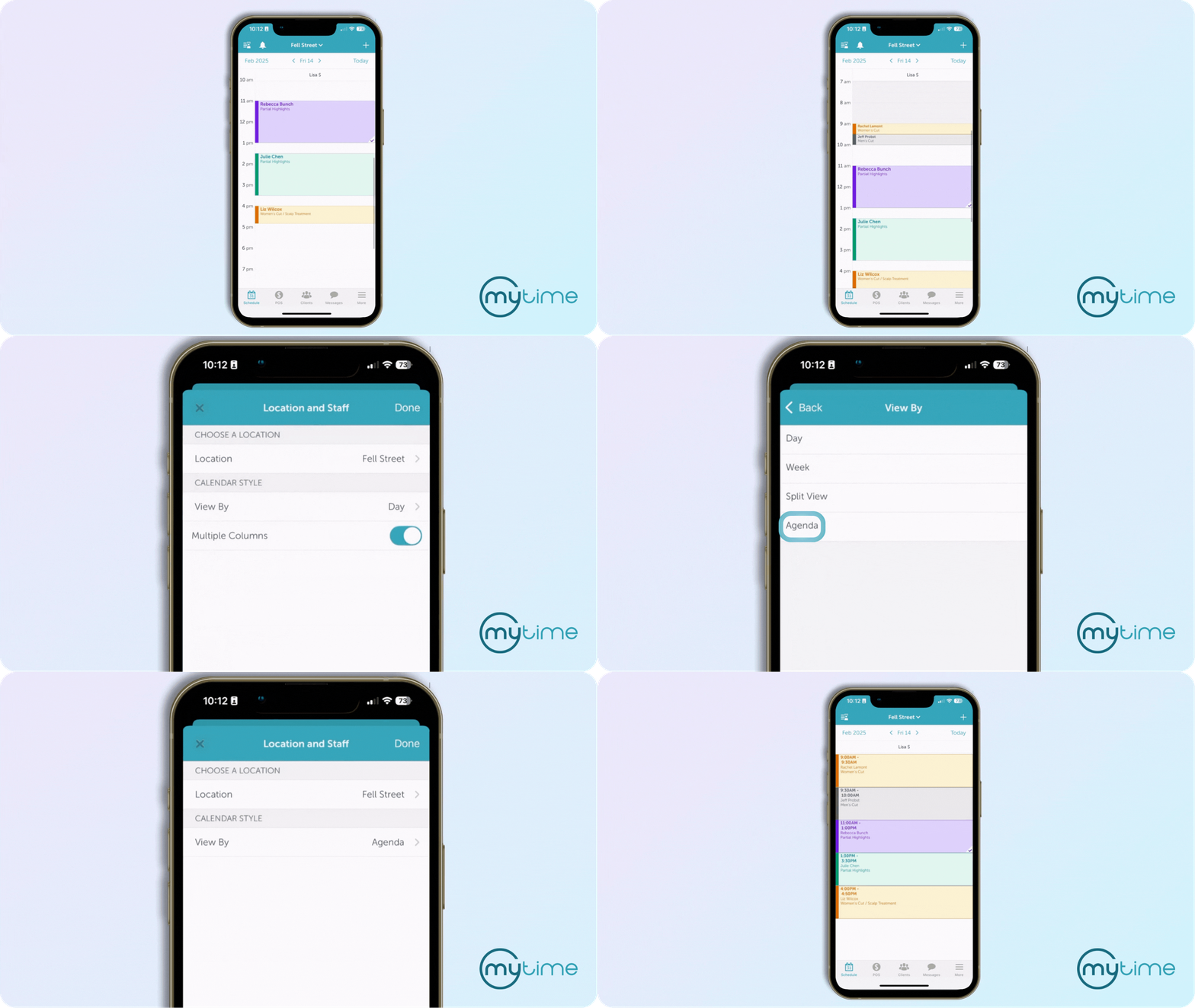
Learn More: Agenda View Help Article
- Calendar Resource View: A new layout that visualizes real-time availability of key resources like rooms, equipment, or tools alongside staff calendars. Designed to eliminate resource bottlenecks and reduce manual coordination.
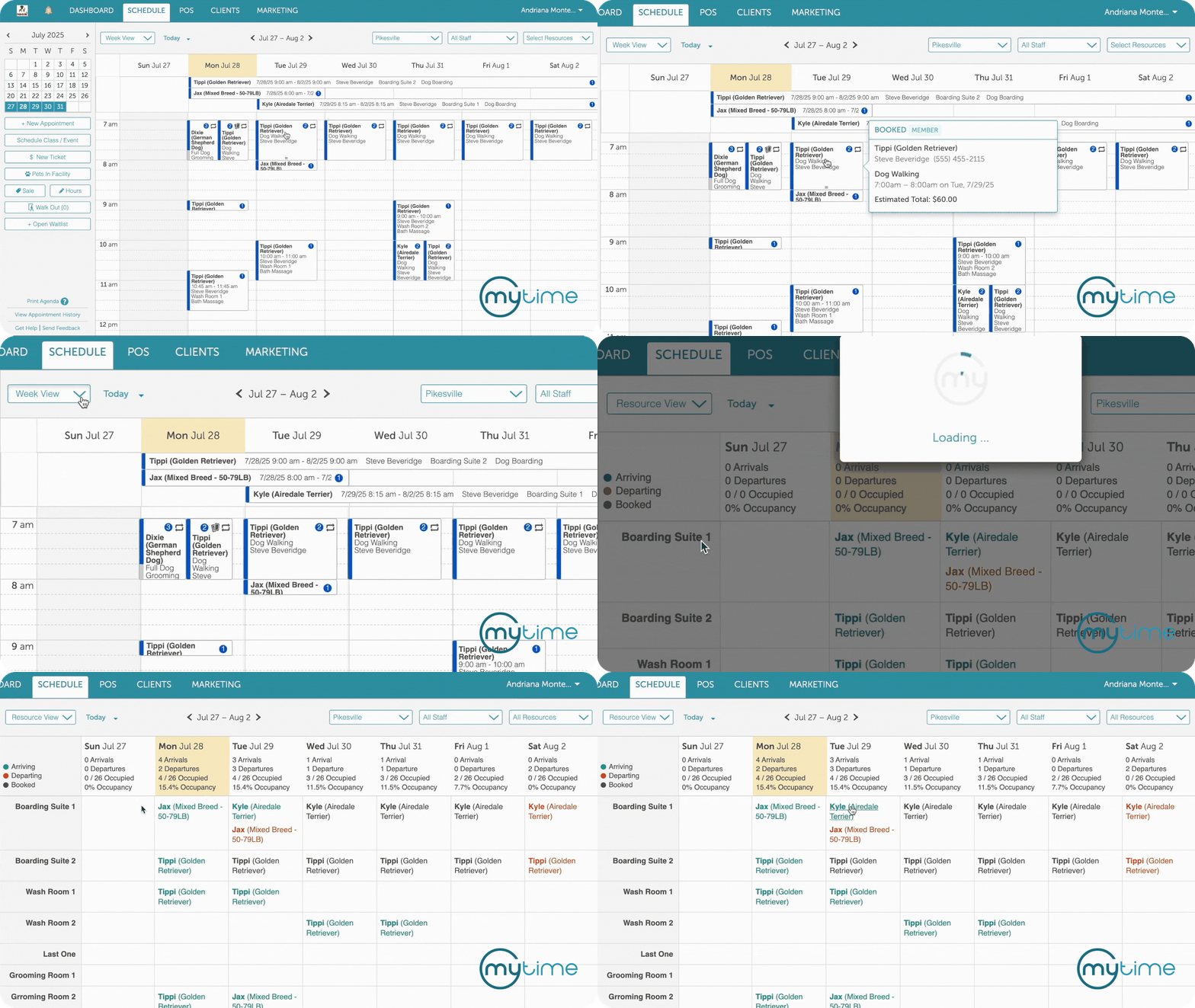
Learn More: Resource View Help Article
Book Faster. Book Smarter.
Booking should be fast, intuitive, and accurate—especially when your business handles hundreds of appointments each week. These updates reduce unnecessary steps, improve default behaviors, and help teams catch errors before they happen.
What’s New:
- Improved Default Start Time: When booking, the Scheduler now defaults to the next available time based on your account settings—avoiding backdated errors and saving clicks.
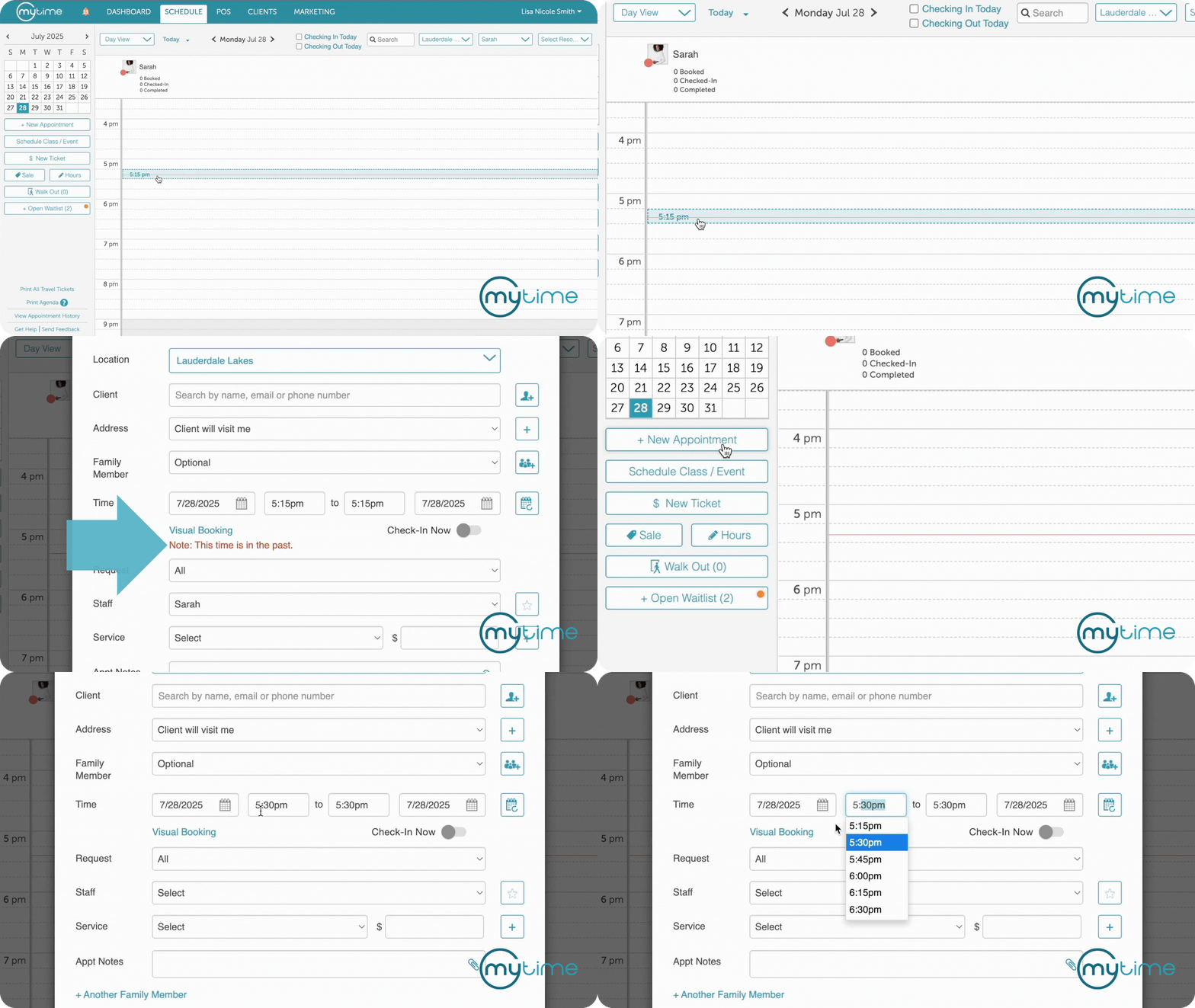
- Conflicting Appointment WarningDuring scheduling, MyTime automatically detects and highlights conflicts in real time—displaying inline messages if a staff member, client, or resource is already booked during the selected time. This prevents errors before they happen and keeps your team moving without second-guessing availability.


